Wednesday, August 27, 2008


iShadow Desktop

iShadow Desktop 3.5.0.153  Evaluation is available to all registered users. If you have an account already - please Login. Don't have an account yet? You can register now by clicking here . To purchase iShadow Desktop visit the order page.

>
Disclaimer

PRODUCTION, EVALUATION AS WELL AS BETA SOFTWARE FROM THIS SITE IS PROVIDED "AS IS", WITHOUT WARRANTY OF ANY KIND, EXPRESS OR IMPLIED, INCLUDING BUT NOT LIMITED TO THE WARRANTIES OF MERCHANTABILITY, FITNESS FOR A PARTICULAR PURPOSE AND NONINFRINGEMENT. IN NO EVENT SHALL THE AUTHORS OR COPYRIGHT HOLDERS BE LIABLE FOR ANY CLAIM, DAMAGES OR OTHER LIABILITY, WHETHER IN AN ACTION OF CONTRACT, TORT OR OTHERWISE, ARISING FROM, OUT OF OR IN CONNECTION WITH THE SOFTWARE OR THE USE OR OTHER DEALINGS IN THE SOFTWARE.

>
iShadow Desktop and iShadow2Go: what do they do?
  • Supports large number of sessions - 50+.
  • Designed for seamless integration with multiple monitors
  • Multiple sessions can be grouped to launch together or one by one on a preset timer
  • Session windows can be grouped, docked-undocked, tiled etc.
  • Connection settings can be securely saved as "Favorites", edited, imported or exported via encrypted file (256-bit encryption)
  • Saved shortcuts can be used as templates for new connections.
  • Session input can be turned on - off with support for a "View Only" mode including sessions that are shadowing other users.
  • Connection configuration can be imported from RDP files created with Microsoft mstsc.exe client
  • Session can be configured to fit available window space on launch
  • Client independent auto-reconnect feature including target port status indicator allowing for automated reconnect on machine reboot
  • Built-in screen capture and image editor that supports PNG, GIF, JPEG, BMP and TIFF image formats.
>
Need portability?

iShadow2Go is a "no-install" version of iShadow Desktop. It is delivered on a custom UD-RW USB media and is located on a read-only CDROM partition that presents itself to the computer as a usb-mounted CDROM device. User configuration is saved within the read-write FLASH partition on the same usb device.

iShadow2Go USB

Fig. 1 iShadow2Go USB media

Although most of the functionality in iShadow2Go is identical to iShadow Desktop there are important differences:

Licensing:
iShadow Desktop is licensed per user (unless purchased as part of iShadow Application Suite where it is licensed per server). iShadow2Go is licensed per USB device it is distributed on, i.e. multiple users on multiple computers can use iShadow2Go without any additional license fees outside the original USB/license purchase. 

Installation:
iShadow2Go does not require any installation of the software on the target machine - all required binaries are located on the iShadow2Go USB media. That includes no requirement  to install of Citrix ICA client which is "packaged" with iShadow2Go with permission from Citrix Systems, Inc. iShadow Desktop on another hand is governed by Citrix client download policies and requires a separate download directly from Citrix.

Although iShadow2Go includes built-in support for Microsoft RDP client (with permission of Microsoft Corporation) application can utilize local client on the target machine. This capability is supported on Windows XP and Windows Vista (both x86 and x64 builds), while in Windows 2000 environment a built-in RDP client 5.2 will be used.

VNC support is provided with both iShadow Desktop and iShadow2Go.

Please note that iShadow Desktop requires administrative privileges to install at the time when iShadow2Go does not have this requirement

Updates:
Both applications come with standard support policy of 1 year of no cost updates including major version releases. iShadow Desktop is updated via the download of a new version which can automatically uninstall the previous build preserving the original user configuration configuration.

iShadow2Go USB media is read-only thus it requires a separate application to update the firmware on the USB media available within the lifetime of the support subscription (1-year subscription is provided with original purchase). Administrative privileges are required when updating the firmware.

Configuration:
iShadow Desktop configuration file is user specific and cannot be used by another individual unless it is exported to a backup file first and then restored. This is a precaution from making configuration files vulnerable when PIN is blank (blank PIN is not recommended).

iShadow2Go configuration is device specific and can be shared with other devices or even exchanged with iShadow Desktop through the backup-restore process.

Backup:
It is recommended to backup your configuration to a separate backup file *.TEX when updating either iShadow Desktop or iShadow2Go. iShadow2Go includes an automatic backup-restore feature as part of the update process.

>
iShadow Desktop: Screen Snapshot


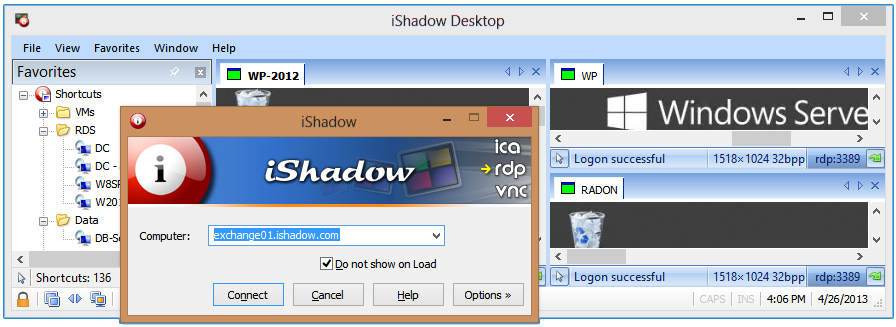
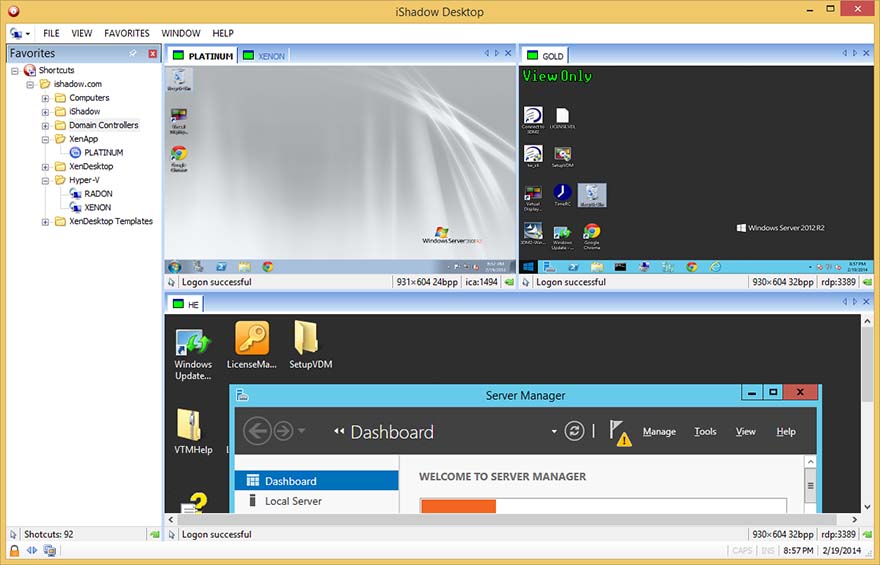
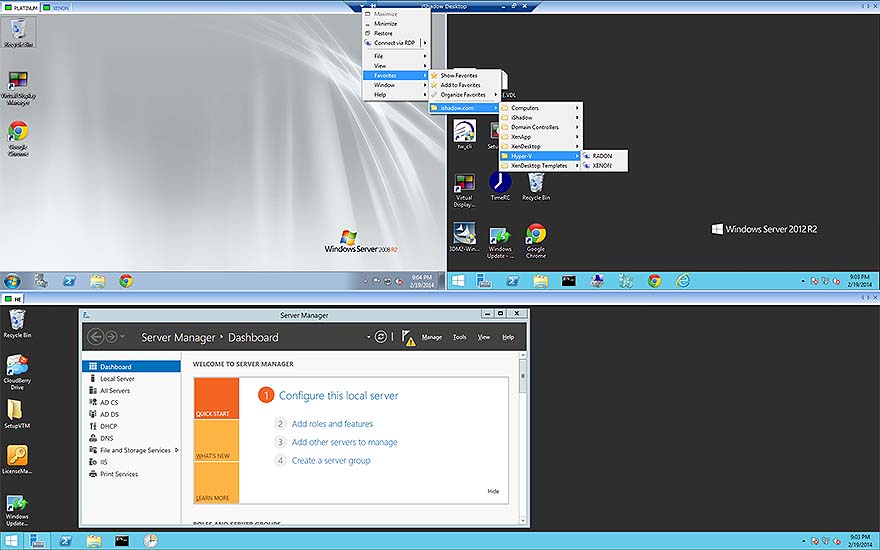
Fig. 2 iShadow2Go and iShadow Desktop screenshot (varies by version)

>