Virtual Display Manager 3 | 3.3.2.46315 (Nov 24, 2026)
Installation
Install VDM Classic, optionally import a license, then create your first layout.
Installing Virtual Display Manager
Download the VDM 3 installer. To evaluate the software, also download the shared evaluation license and save it as LICENSE.VDL.
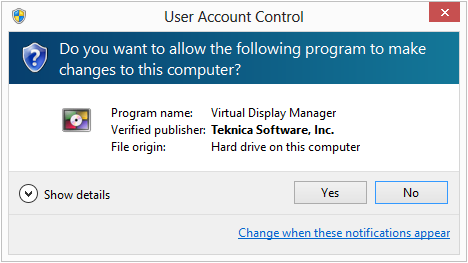
- Run
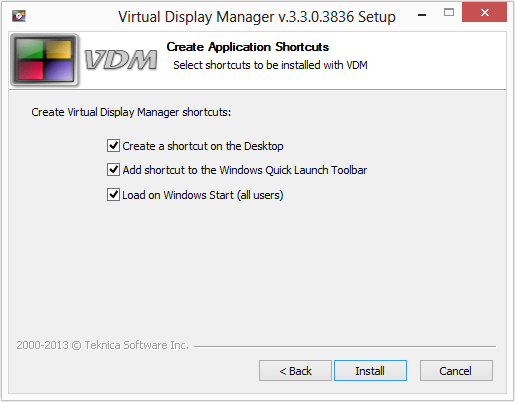
SetupVDM.exeand approve the Windows administrator prompt. - Review the license agreement. If you accept it, choose the installation folder and optional shortcuts/startup settings.
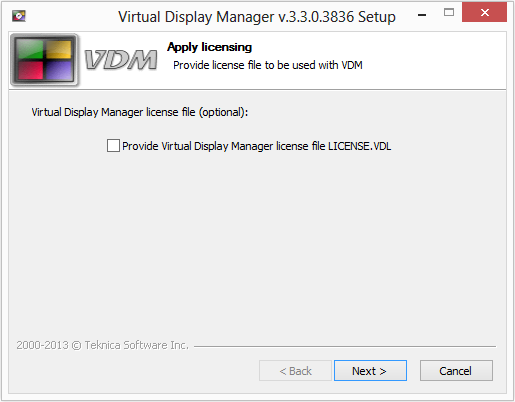
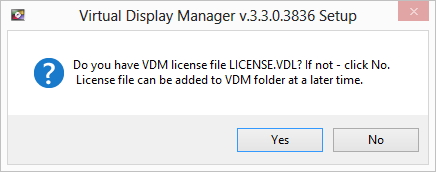
- Use the optional license-import step to select
LICENSE.VDL, or add the file later as described below. - Finish setup and restart Windows if prompted. Continue with Configuration to create your first layout.
Setup options and upgrades
- Choose an installation folder.
- Select optional Desktop and Quick Launch shortcuts.
- Choose whether VDM starts when users sign in.
The all-users startup option creates the Teknica’s VDM Run entry under HKEY_LOCAL_MACHINE\Software\Microsoft\Windows\CurrentVersion\Run.
When updating, close running VDM instances first. Setup can offer to uninstall the previous version and may require a restart if files are in use. License import remains optional.
To import a license during setup, select the license option and continue to the file-selection prompt.
Select LICENSE.VDL in the file dialog. Setup imports it into the VDM folder beside VDM.exe. License import is optional during installation; you can add the file later, or retain the existing file when updating.
After setup, open Configuration, apply a template to each monitor you want to split, and save/apply the layout.
If setup fails, see installation troubleshooting or contact support. For silent installation and removal, see deployment automation.